 Product Tabs Studio
Custom Product Tabs Pro cannot be bought any more
If you clicked Upgrade to Pro inside Custom Product Tabs for WooCommerce and ended up somewhere that made no sense, you did nothing wrong. This page explains what that add-on sold, why the checkout is gone, and where each of its features stands today. It is written by the people who make a competing plugin, so every claim below carries the source it came from and a link to it.
Sources checked 8 September 2026
- Upgrade link
yikesplugins.com— does not respond; the connection fails with an SSL error- Free plugin
- Its WordPress.org listing (author Evan Herman), which carries its own last-updated date
- Vendor's other domain
codeparrots.com— online; its page for the add-on now shows a blog listing- This page's author
- Ander Carrera. Our plugin's source: github.com/Carreraander/product-tabs-studio-plugin
- Prices quoted
- From the add-on's own product page as archived on 19 May 2023, not from memory
§01 The checkout
Why the purchase link goes nowhere
The upgrade link inside the plugin points at yikesplugins.com. Checked again on 8 September 2026, that host does not respond at all: the connection fails with an SSL error. The vendor's other domain, codeparrots.com, is still online, but its page for this add-on now shows a blog listing rather than anything you can buy.
The free plugin's last release was 1.8.6 on 12 April 2025. The Pro add-on's own product page, as archived in May 2023, listed version 1.2.4 dated 17 October 2022 and 3,246 downloads.
So there is no checkout to fix and nobody to email about it. That is the whole answer.
§02 What it sold
What that add-on actually sold
Taken from its own product page as archived on 19 May 2023, not from memory. It was an annual licence at $29.99 for one site, $59.99 for three to five, and $119.99 for ten, including updates and support.
| Feature it charged for | In Product Tabs Studio |
|---|---|
| Global tabs applied to all products | Free |
| Tabs assigned by category or tag | Free, and also by brand, product type or a specific list, with include, exclude and match-any or match-all |
| Changing the order tabs appear in | Free, including reordering, renaming and hiding WooCommerce's own tabs |
| Removing the default description, additional information and reviews tabs | Free |
| Removing the tab title from tab content site-wide | Free, per tab rather than only site-wide |
| Seeing which products use a saved tab | Free |
| Bulk assigning saved tabs across products | Paid: Product Tabs Studio Pro, with a preview before it runs and an undo after |
| Making WordPress and WooCommerce search find tab content | We do not do this. If it is why you were buying, this plugin is not your answer |
| Support | See the support page for what exists today |
Table scrolls sideways →
The short version: most of what that add-on charged for is in the free plugin here, one thing is in the paid tier, and one thing we genuinely do not do.
§03 The price difference
Their Pro was $29.99. Ours is 89 EUR. That needs saying out loud.
It is roughly three times the price, and nothing about a dead competitor makes that fair on its own. What changed is which side of the line the features sit on.
- Six of the eight features it charged for cost nothing here. Their $29.99 bought the whole list. If your reason for buying was global tabs, category rules, tab order, hiding the default tabs, dropping the tab title, or seeing which products use a tab, your bill today is zero.
- One of the eight is the paid tier — bulk assignment, here with a preview before it runs and an undo after. The 89 EUR also buys rules by attribute, price, stock, shipping class, SKU, user role and schedule, and per-brand placeholders, none of which were on their list.
- The eighth, making WordPress search find tab content, we do not do at any price.
- It is more than they charged, at every tier, and pretending otherwise would be silly. Theirs was $59.99 for three to five sites and $119.99 for ten; ours is 189 EUR for five and 349 EUR for twenty-five, plus VAT. What changed is not the price of the same thing — it is which side of the free line each feature sits on.
If the honest conclusion for your shop is "the free one is enough", that is a good outcome and the pricing page says the same thing in more detail.
§04 Your data
Before you change anything
Whatever you decide, and even if you never install anything of ours: deactivate the old plugin rather than deleting it. Its uninstall routine removes its own product meta, which is where your tab content lives. Deactivating is harmless. Pressing Delete is not.
The migration page covers what happens to that data in detail, including how to read it without converting anything and how to go back.
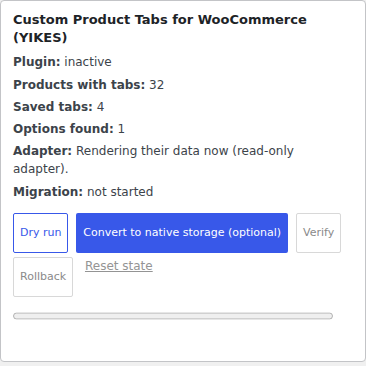
Drag sideways → · 1:1 detail of screenshot-5.png. Thirty-two products, still served from the old plugin's own rows, with the conversion marked optional and not started.
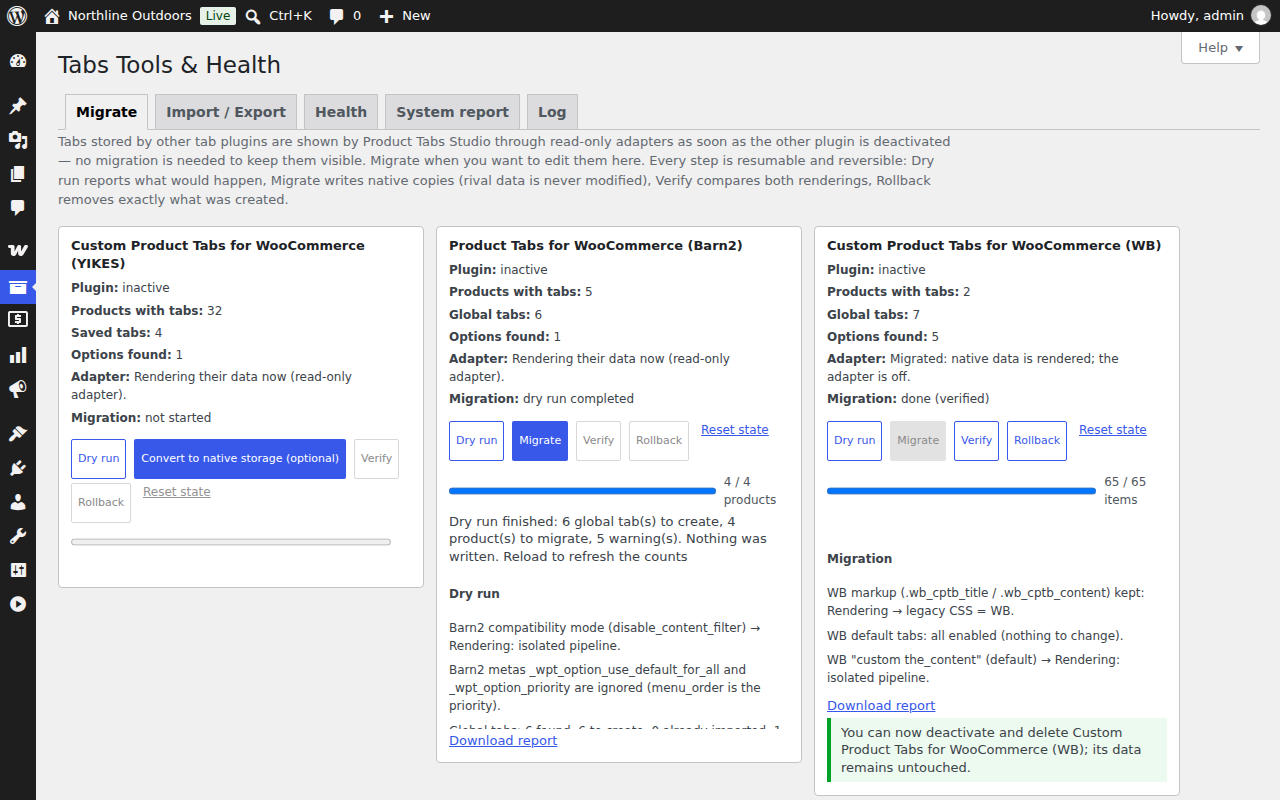
That is what installing our plugin next to yours looks like on the first day: it counts what is there, renders it read-only from where it already is, and does nothing else until you ask.
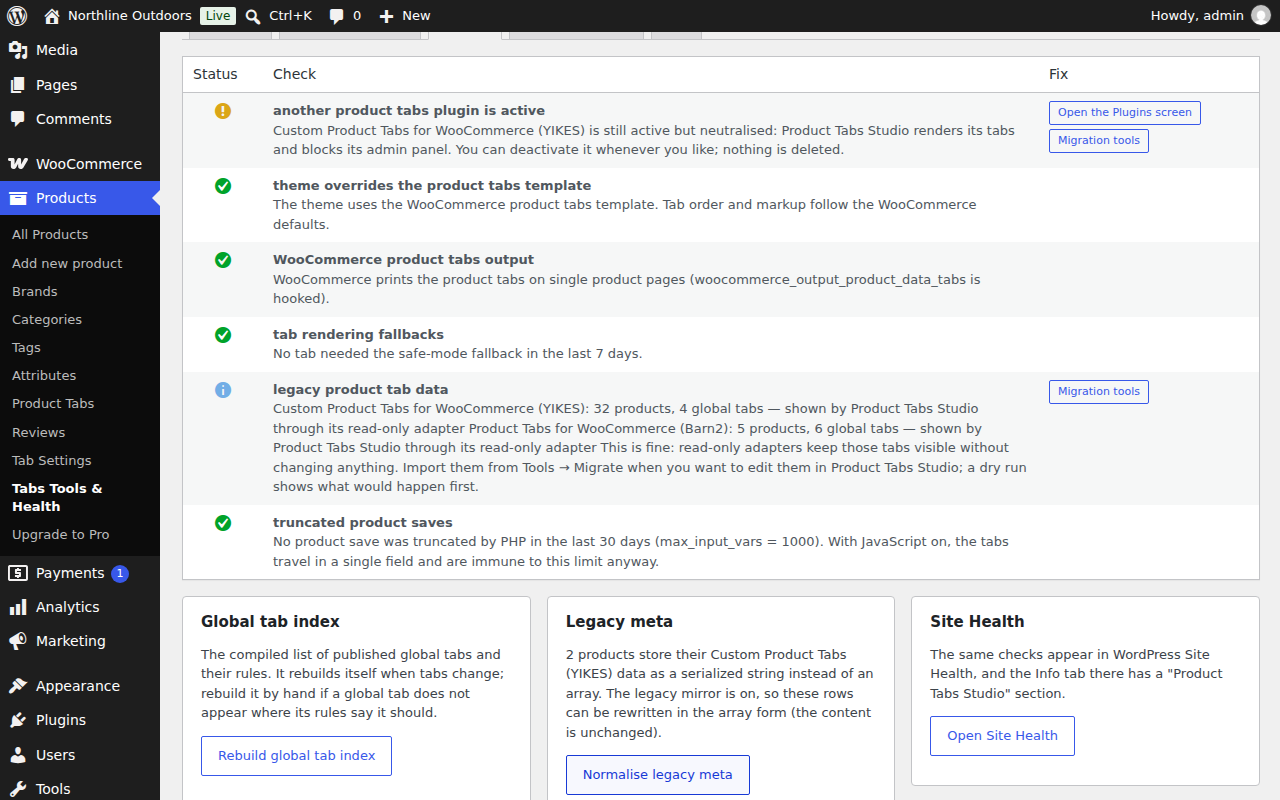
The Health screen says the same thing in plainer words, and keeps saying it for as long as the old plugin stays installed.

1:1 detail of screenshot-6.png. "Nothing is deleted" is the whole point. Drag sideways →
§05 What to do now
What to do now
If the features you wanted are in the free column above, you do not need to buy anything from anyone.
Download Product Tabs Studio free How your existing tabs are handled
If what you needed was the bulk editing, that is the paid tier. It costs 89 EUR a year for one site, plus VAT, and it requires the free plugin. The button below opens checkout.freemius.com, a third-party domain: Freemius is the reseller and seller of record, adds VAT for your country, issues the invoice and handles refunds.
§06 And about us
Fair question: why would this one still be here in two years?
You arrived because a plugin stopped being maintained. Nobody can promise you a future, so here is what can be checked instead.
Release product-tabs-studio 1.0.0
- Version
- 1.0.0 — the first public release, so there is no long record to point at
- Source
- github.com/Carreraander/product-tabs-studio-plugin — read it before you install it
- Commit log
- Dated commits, not a promise
- Licence
- GPLv2 or later. If this one is abandoned, the code is still yours to keep running.
- Your exit
- JSON export takes every tab out in one click; the free plugin has no licence server to switch off
- SHA-256
c0f5ce1caf493c16b619e34263546c042f4a739fb2318e668072f7be6903edc6(how to check it)- Reviews
- None. The plugin is new and has no users to quote; nothing has been invented here.
- Written by
- Ander Carrera