 Product Tabs Studio
Pricing
The plugin is free and complete: no trial, no expiry, no account. Pro is a separate add-on for shops that manage tabs across a large catalogue, and it is available now.
Product Tabs Studio Free
0 EURDirect download, no account and no e-mail address.
The whole plugin. Nothing in it stops working after a period, and nothing in it is a preview of something you have to buy.
- Unlimited tabs per product, with the WordPress editor, drag-and-drop order, anchor keys and enable or disable per tab
- Global tabs on all products or by rules: category with subcategories, tag, brand, specific products, product type, include and exclude, match any or all
- Verified saving, the truncated-form guard, and five versions of history per product with one-click restore
- Read-only adapters for three other tab plugins, with dry run, migrate, verify and rollback
- Tools & Health, system report, Site Health checks, activity log, JSON export and import, WooCommerce CSV column, GPSR templates, shortcodes and filters
The home page shows every one of these screens at full size.
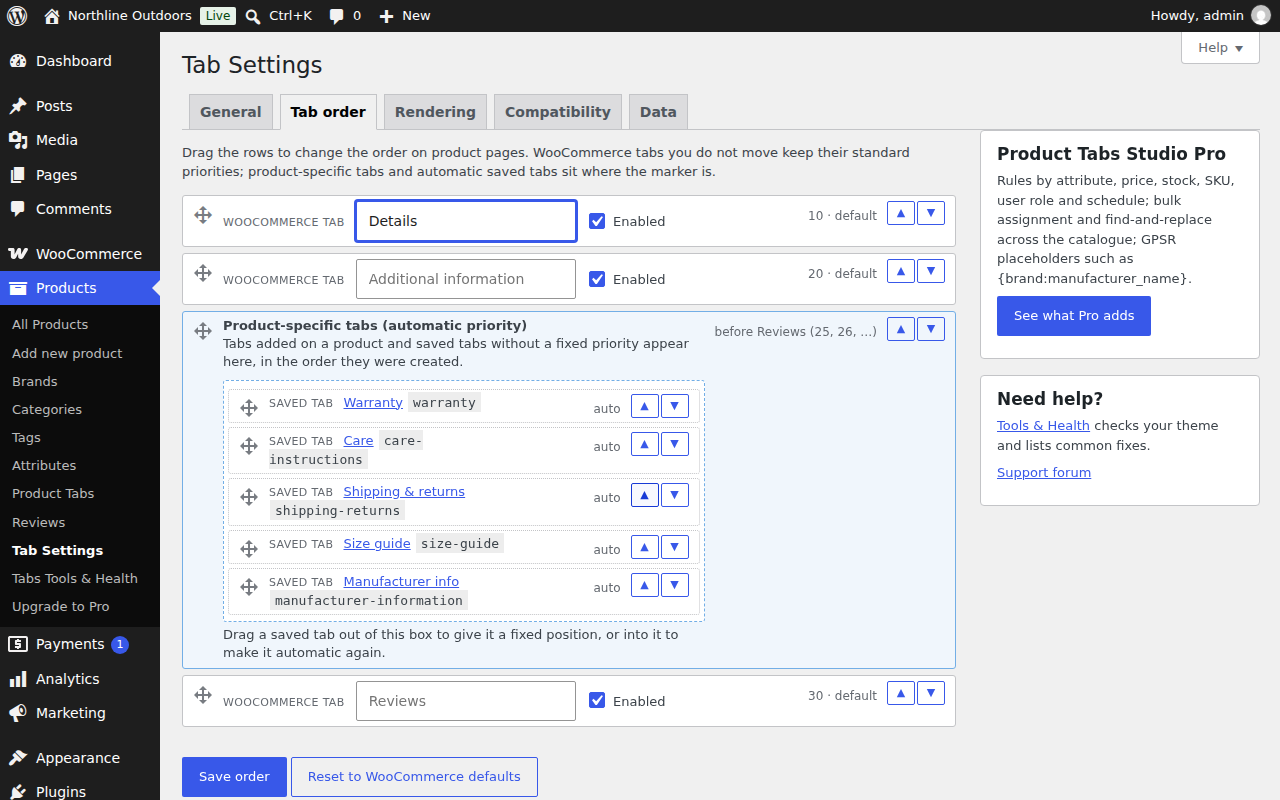
What the free plugin asks of you: almost nothing. It keeps no account and checks no licence, and by default it sends nothing; on activation it offers an optional notification opt-in you can skip (what accepting would share). In the screenshots on this site it mentions Pro in two places — one entry at the bottom of the Products menu, and the sidebar card shown below.
Product Tabs Studio Pro Add-on
89 EUR / yearOne site, one year of updates. VAT is added at checkout for your country, or removed if you enter a valid EU VAT number.
Adds to the free plugin, which stays installed and keeps working:
- Rules by attribute, price, stock, shipping class, SKU, user role and schedule
- Bulk assignment and find-and-replace across a whole catalogue, with a preview before it runs and an undo after
- Per-brand placeholders such as
{brand:manufacturer_name}, so a manufacturer block filled in once appears on every product of that brand
The button leaves this site. It opens
checkout.freemius.com, a third-party domain. Freemius is the
reseller and merchant of record: it takes the payment, adds the VAT for
your country, issues the invoice in its own name and handles refunds. We
never see your card details.
Refunds and cancellation are handled by Freemius through the account link in your receipt, where you can also see the licence, change the card and switch off automatic renewal. Ask them first for anything about money; write to us for anything about the plugin.
Pro needs the free plugin. On its own it does nothing.
§00 Which one you need
Is Pro for your shop?
The free plugin already covers the ordinary case: a handful of tabs, placed by category, tag, brand or a named list of products. Most shops never need more, and saying otherwise to sell a licence would be the cheapest possible way to lose your trust.
Pro starts to pay for itself when one of these is true:
- The rule you need is not a category, a tag or a brand — it is an attribute, a price band, a stock state, a shipping class, an SKU pattern, a user role, or a date range
- You need to change the same paragraph on hundreds of products at once, and you want to see exactly what will change before it runs and be able to undo it after
- Your manufacturer or GPSR block has to say something different for each brand, and you do not want to write it into every product by hand
If none of those is true today, download the free plugin and stop reading. It is not a trial, and nothing about it will start nagging you.
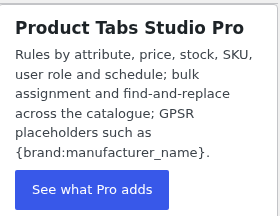
1:1 detail of screenshot-4.png. This card and one menu entry are the only two places Pro is mentioned inside the free plugin. Nothing is overlaid on the tab panel you work in.
§01 what you are actually buying
The screen the money buys
This is the Bulk view Pro adds to Products → Tabs Tools & Health, on a real install with a licence. Nothing here is a mock-up. Read the small print on the screen itself: every action counts what it would change before it changes anything, runs in resumable batches in the background, and leaves an undo point that puts each product back to the exact version it had before.
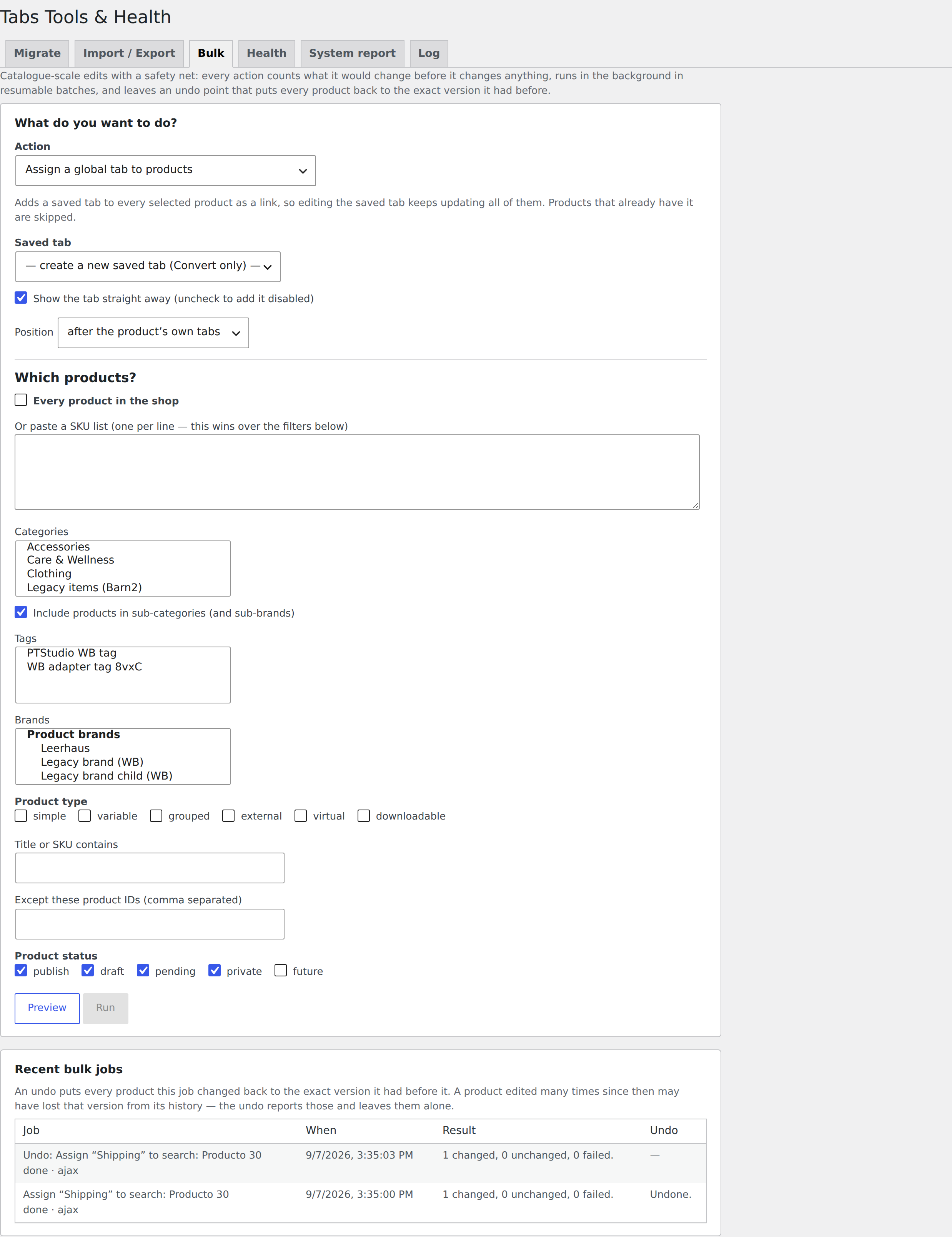
Captured from a licensed install on 9 September 2026. The transient WordPress admin notices of the machine it was captured on have been removed; nothing in the plugin’s own interface has been altered, added or rearranged.
§02 Compared
Free and Pro compared
The three rows the money is for come first. Everything below them is in the free plugin and stays there.
| Capability | Free | Pro |
|---|---|---|
| Rules by attribute, price, stock, shipping class, SKU, user role, schedule | No | Yes |
| Bulk assignment and find-and-replace across the catalogue, with preview and undo | No | Yes |
Per-brand placeholders such as {brand:manufacturer_name} | No | Yes |
| Tabs per product: editor, order, keys, history and restore | Yes | Included |
| Global tabs on all products or attached manually | Yes | Included |
| Rules by category, tag, brand, specific products, product type, include and exclude | Yes | Included |
| Verified saving and the truncated-form guard | Yes | Included |
| GPSR templates with static text | Yes | Included |
| Default tab rename, hide and reorder | Yes | Included |
| Adapters and migration from other tab plugins | Yes | Included |
| JSON export and import, WooCommerce CSV column | Yes | Included |
| Tools & Health, system report, Site Health, activity log | Yes | Included |
| Support | See the support page for the channels that exist today | |
Table scrolls sideways →
§03 The transaction
How buying works
- Install the free plugin first. Pro is an add-on and needs it; on its own it does nothing.
- Choose a licence above. You are taken to
checkout.freemius.com. The checkout adds VAT for your country, or removes it if you enter a valid EU VAT number. - You receive the Pro ZIP and a licence key by e-mail. Install the ZIP the same way as the free plugin and paste the key when it asks.
Licence terms
- Covers
- One year of updates for the number of sites you chose
- Renewal
- You choose at the checkout: automatic, or a single payment for one year. Changeable later from the link in your receipt.
- If it lapses
- Pro stops adding its features and updates stop arriving. Nothing is deleted: your tabs, rules and settings stay where they are and the free plugin keeps working.
- Seller of record
- Freemius. It takes the payment, issues the invoice, handles VAT and answers billing questions, refunds included.
- Card details
- Never seen by us at any point.
- Free tier
- Unaffected. Nothing that is free today moves into Pro.
§04 Before you spend anything
What you can check about this software first
There are no ratings or install counts here because the plugin is new and has none. These exist instead, and none of them require taking our word for it.
Release product-tabs-studio 1.0.0
- Version
- 1.0.0 — the first public release
- Licence
- GPLv2 or later, free tier and Pro alike
- Commit log
- Every commit, with its date
- SHA-256
c0f5ce1caf493c16b619e34263546c042f4a739fb2318e668072f7be6903edc6(how to check it)- Tests
- 305 automated tests in the plugin's own suite
- Network calls
- None by default in the free plugin; an optional notification opt-in is offered on activation. Privacy page.
- Requires
- WordPress 6.2+, WooCommerce 7.0+, PHP 7.4–8.3, HPOS declared
- Written by
- Ander Carrera
- Support
- E-mail, read by the person who wrote it. What that covers.
§05 Questions
Questions
Is the free plugin limited in any way?
No. It is not a trial and nothing stops working after a period. Everything on the home page and in the documentation is in the free plugin unless a sentence explicitly says otherwise.
Will something I use today move into Pro?
No. The free feature set stays free.
Do I need the free plugin as well?
Yes. Pro adds to it and does nothing on its own. Install the free plugin first, then Pro.
What happens when the licence expires?
Pro stops adding its features and updates stop arriving. Your tabs, rules and settings are not touched, and the free plugin carries on as before.
Who takes the payment and who issues the invoice?
Freemius, as reseller and merchant of record. They handle VAT for your country and send the invoice. We never see your card details.
Do you have customer reviews or install figures to show?
No. The plugin is new and has no users to quote, so there are no figures to show and none are invented here. When there are, they will be published with their source.